
ReiBoot
ReiBoot is a Tenorshare utility for Windows that puts an iPhone or iPad into or out of recovery mode and repairs common iOS system problems.
69.7 MB

4.00 · Gatesjunior · Page updated
Debloater is a free Windows tool by Gatesjunior for disabling or hiding preinstalled apps on an Android phone connected to the PC.
Average 0.0 · ratings: 0
Thank you! Your rating is saved; you can change it. Could not save the rating. Please try again later. Too many ratings from your network today. Please try again tomorrow. The average appears after 5 ratings.
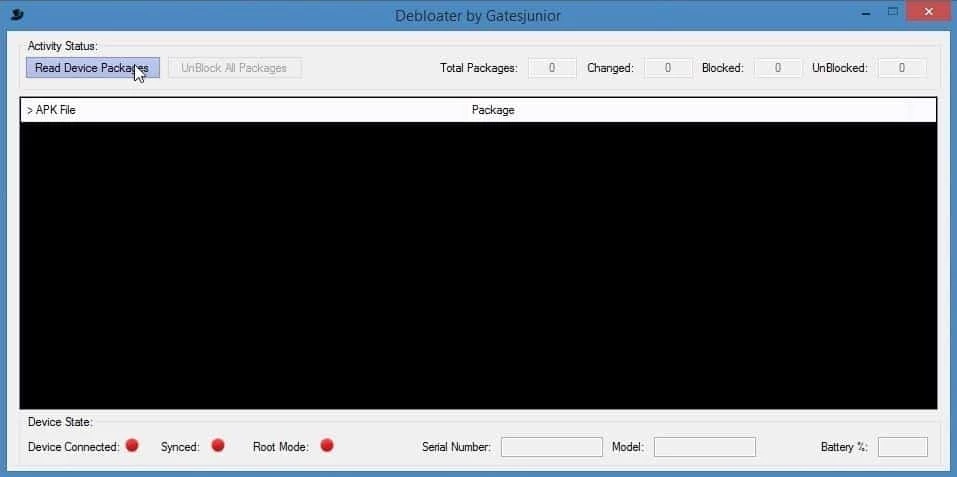
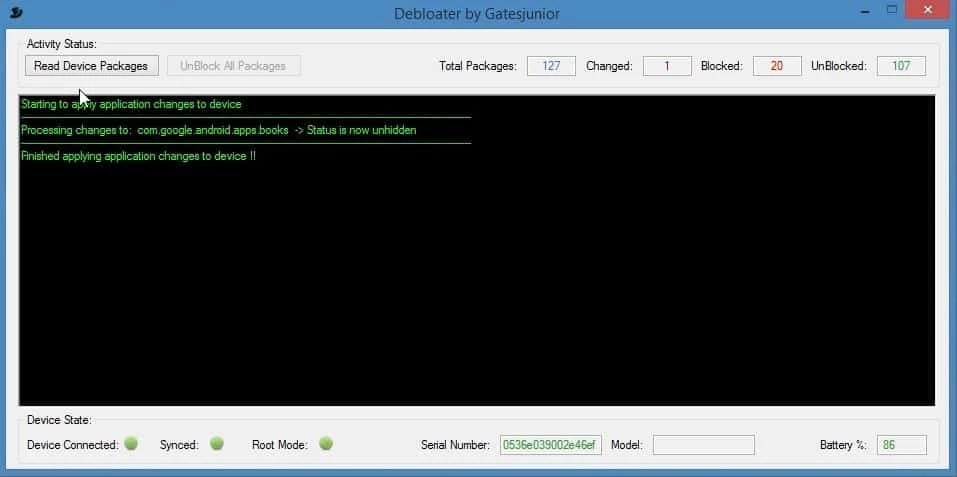
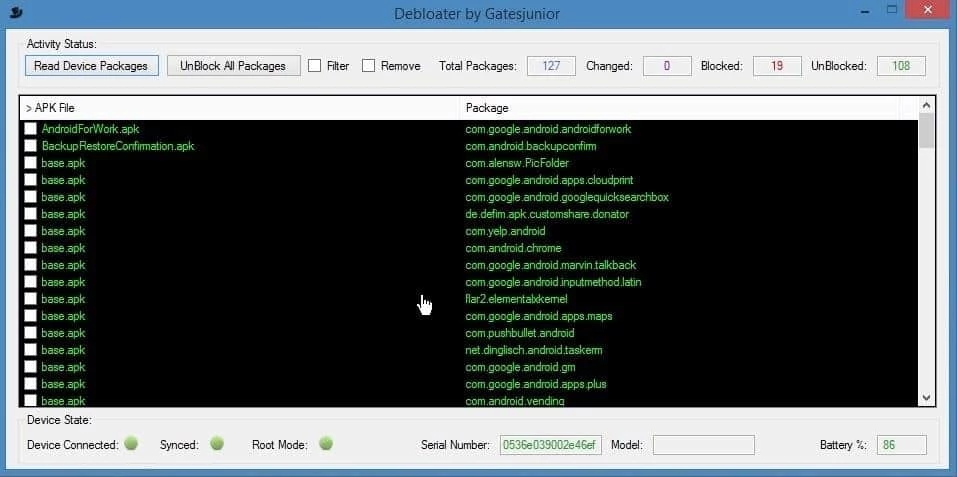
Debloater 4.00 is a free Windows program by Gatesjunior for dealing with bloatware on Android phones. You connect a phone to the PC with USB debugging turned on, and the tool lists the installed packages, including preinstalled system apps, so you can disable or block the ones you do not want. You can download Debloater for Windows free of charge; there is no official website in our data, so choose your source carefully.
Many phones arrive with apps you never asked for: duplicate browsers and stores, games, trial versions, carrier tools. Often they cannot be uninstalled from the phone's settings, and some run in the background, show notifications or take up storage. Debloater is aimed at experienced users who want to clean that up without rooting the phone. It is popular with people who set up phones for family members, technicians preparing refurbished devices, and enthusiasts who like a minimal system. The tool shows package names rather than friendly app names, so you need to know or look up what each package does. If you are not comfortable with terms like package, ADB and system app, this is not the right tool for you: disabling the wrong component can break calls, notifications, the keyboard or the launcher. For casual users, disabling apps from the phone's own settings, where the option exists, is the safer route.
| Item | Details |
|---|---|
| Version | 4.00 |
| Developer | Gatesjunior |
| Platform | Windows, working with a connected Android device |
| Licence | free |
| Size | about 2.05 MB according to catalogue data |
Changing system packages can void support from the manufacturer in some cases and may cause a factory reset to be needed if things go badly wrong. System updates can also re-enable apps you disabled. Download the tool only from a source you trust and scan it before running, since small freeware utilities are often repackaged with adware.
For managing specific phone brands from a PC, our listings include Samsung Smart Switch and Huawei HiSuite. 3uTools and iTools do a similar job for iPhones.
ReiBoot is a Tenorshare utility for Windows that puts an iPhone or iPad into or out of recovery mode and repairs common iOS system problems.
DirectX 9.0c is an older version of Microsoft's multimedia and graphics APIs that many classic Windows games still need to run.
DirectX 10 is a version of Microsoft's multimedia and graphics API that comes with Windows; older games may also need the DirectX End-User Runtime.

3uTools is a free Windows program for managing an iPhone or iPad from a PC, including files and device information.

Huawei HiSuite is Huawei's official PC suite for Windows and macOS for backing up, managing and updating Huawei phones and tablets.
DirectX 11 is a version of Microsoft's collection of multimedia and graphics APIs that Windows games and apps use to work with the graphics card and sound.
DirectX 12 is Microsoft's graphics and multimedia API for Windows. It is part of the system and updated through Windows Update and graphics drivers.

DriverPack Solution is a free Windows tool by Artur Kuzyakov that detects missing or outdated drivers and installs them from its own driver collection.